Tactical Analysis: When the Terminal Stops Responding
Antigravity Editor’s “Running…” deadlock is not a bug—it’s a configuration failure. The terminal becomes unresponsive because the integrated shell profile is either missing or mismatched, causing the tool call to wait indefinitely for a non-existent shell environment.
The Diagnosis
The error manifests as every tool call hanging in “Running” state. Traditional debugging—checking network, permissions, file paths—yields nothing. The root cause lies deeper: VS Code’s terminal integration expects terminal.integrated.defaultProfile.linux (or macos/windows) to point to a valid shell in the user’s settings.json. If this key is absent or points to a non-existent profile, the terminal spawn hangs, and any tool call that invokes a command never returns.
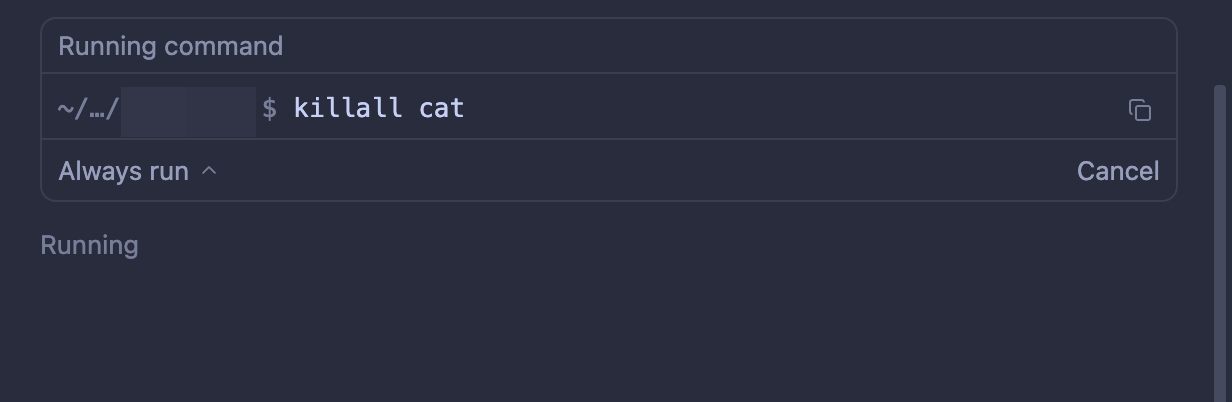 Figure 2: Terminal deadlock — every command remains in Running state.
The Strategic Fix
For macOS users, the setting must explicitly target the macOS profile and match the user’s actual shell (e.g., "zsh" for Zsh, "bash" for Bash):
{
  "terminal.integrated.defaultProfile.macos": "zsh"
}
For Linux (or when the platform key is ambiguous), set terminal.integrated.defaultProfile.linux to the shell name you actually use (e.g., "zsh" or "bash"). This one line tells the integrated terminal which shell to launch. Without it, the terminal waits for a default that doesn’t exist, and tool calls deadlock.
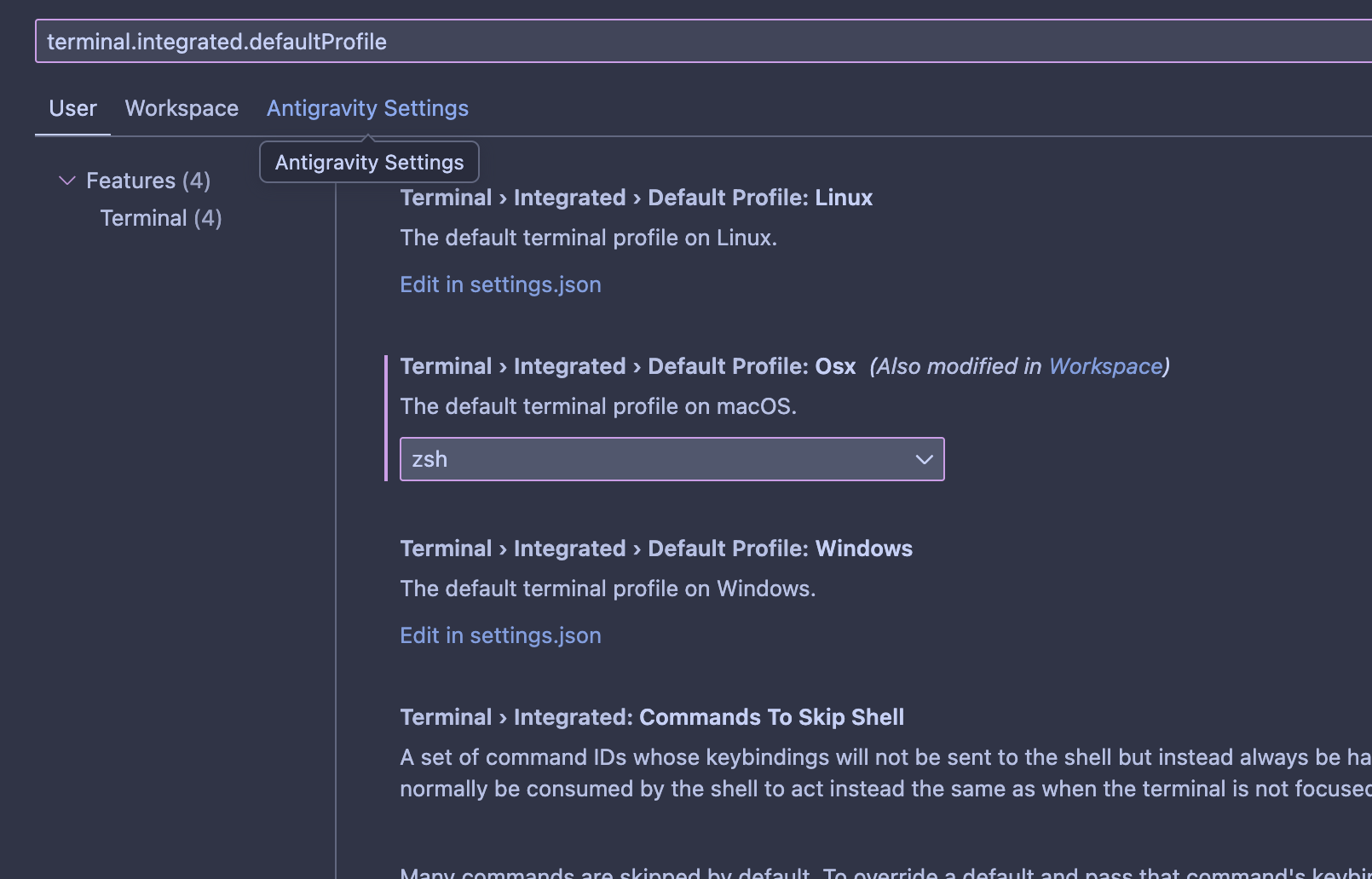 Figure 3: Terminal after proper configuration — prompt and output appear as expected.
Community discussion and confirmation: Google AI Discuss - Agent Terminal Deadlock.
Alternative: PTY Fix for Agent
Some community members also suggest additional shell tweaks when the ANTIGRAVITY_AGENT environment variable is detected. The following code forces the terminal to run in a simple pipe mode and disables any aliases that might trigger terminal polling:
# Antigravity PTY fix - simplified terminal for agent commands
if [[ -n "$ANTIGRAVITY_AGENT" ]]; then
  # Force the shell to behave as a simple pipe
  export TERM=dumb
  export DEBIAN_FRONTEND=noninteractive
  # Disable aliases that might wait for terminal polling
  unalias -a
fi
Note: This solution has not been directly tested by the author, but is provided as an additional reference from the related discussion. The snippet uses [[ ... ]] which works in Bash and Zsh; adjust accordingly if using a different shell (e.g., [ ... ] for POSIX sh).
Why This Matters
This is a classic environmental assumption failure. Antigravity Editor assumes the presence of a configured terminal profile. Developers assume the editor works out-of-the-box. The intersection is a silent hang that breaks vibe-coding entirely. The fix is trivial, but finding it requires knowing where to look—user settings rather than code.
Lessons Learned
- Environment matters: Always verify shell profile configuration when integrating terminal-based tools.
- Platform keys are OS-specific: Using
linuxon macOS will fail; match the OS key. - Hangs are often config: When something stalls at spawn time, check the environment before blaming the tool.
- Search the right forums: The Google AI Discuss thread contained the solution—community knowledge beats documentation gaps.
Moving Forward
After applying the setting, restart Antigravity Editor. Tool calls should execute immediately, restoring the flow of vibe-coding. Document this configuration in your setup scripts to prevent recurrence on new machines.
This post captures a real-world debugging session where the solution was a single JSON key—a reminder that sometimes, the simplest configuration holds the greatest leverage.